Getting Started
Before installing and running the infinity-grid, you need to make sure to fully understand the available trading strategies and their configuration. Avoid running the algorithm with real money before you are confident in the algorithm’s behavior and performance!
It is also highly recommended to run the algorithm in dry-run mode first, to get to know each other. Many exchanges provide test/sandbox environments that can be used without risking real money. Make use of those and only switch to real money trading once you are fully confident in the algorithm’s behavior.
🛠️ Preparation
Depending on the used exchange, different preparatory steps might be needed. In the following, the steps for use with the Kraken Crypto Asset Exchange are shown:
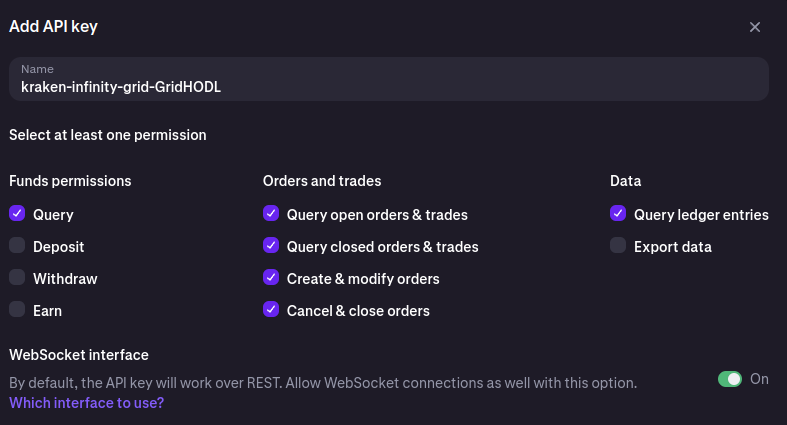
In order to trade at the Kraken Cryptocurrency Exchange, you need to generate API keys for the Kraken exchange. You can do this by following the instructions on the Kraken website (see How to create an API key). Make sure to generate keys with the required permissions for trading and querying orders:
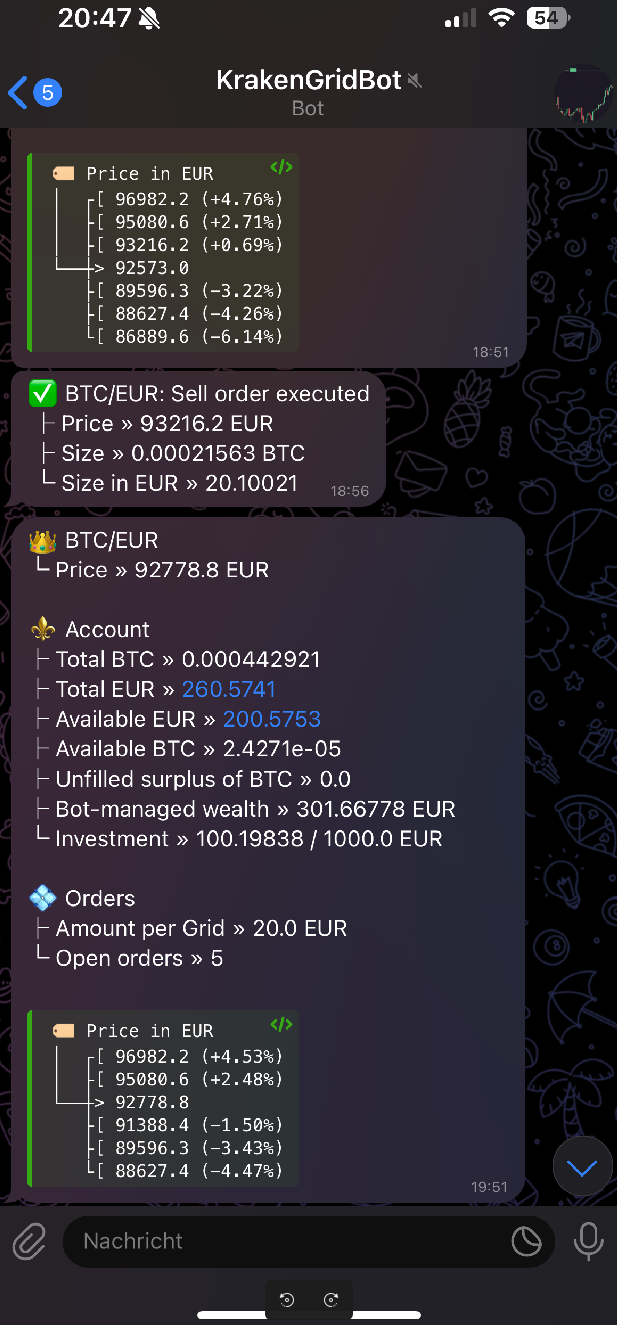
[optional] The algorithm leverages Telegram Bots to send notifications about the current state of the algorithm. We need two, one for the notifications about the algorithm’s state and trades and one for notifications about errors.
Create two bots, name as you wish via: https://telegram.me/BotFather.
Start the chat with both new Telegram bots and write any message to ensure that the chat ID is available in the next step.
Get the bot token from the BotFather and access
https://api.telegram.org/bot<your bot token here>/getUpdatesto receive your chat ID.Save the chat IDs as well as the bot tokens for both of them, we’ll need them later.
🐋 Running via Docker Compose
The repository of the infinity-grid contains a docker-compose.yaml file
that can be used to run the algorithm using Docker Compose. This file also
provides a default configuration for the PostgreSQL database. To run the
algorithm, simply copy it’s contents, make sure the required environment
variables are set, and run docker compose up -d. Watch the logs closely.
When running a new configuration, it is recommended to enable the dry-run mode
via setting INFINITY_GRID_RUN_DRY_RUN=true.
For configuration options, please see the Configuration section.
📡 Monitoring
Trades as well as open positions can be monitored at the exchanges’, where they can also be managed. Keep in mind that canceling via UI is possible, but placing orders that the algorithm will manage is not possible, as it only manages orders that it has placed, e.g. for the Kraken Crypto Asset exchange at Kraken.
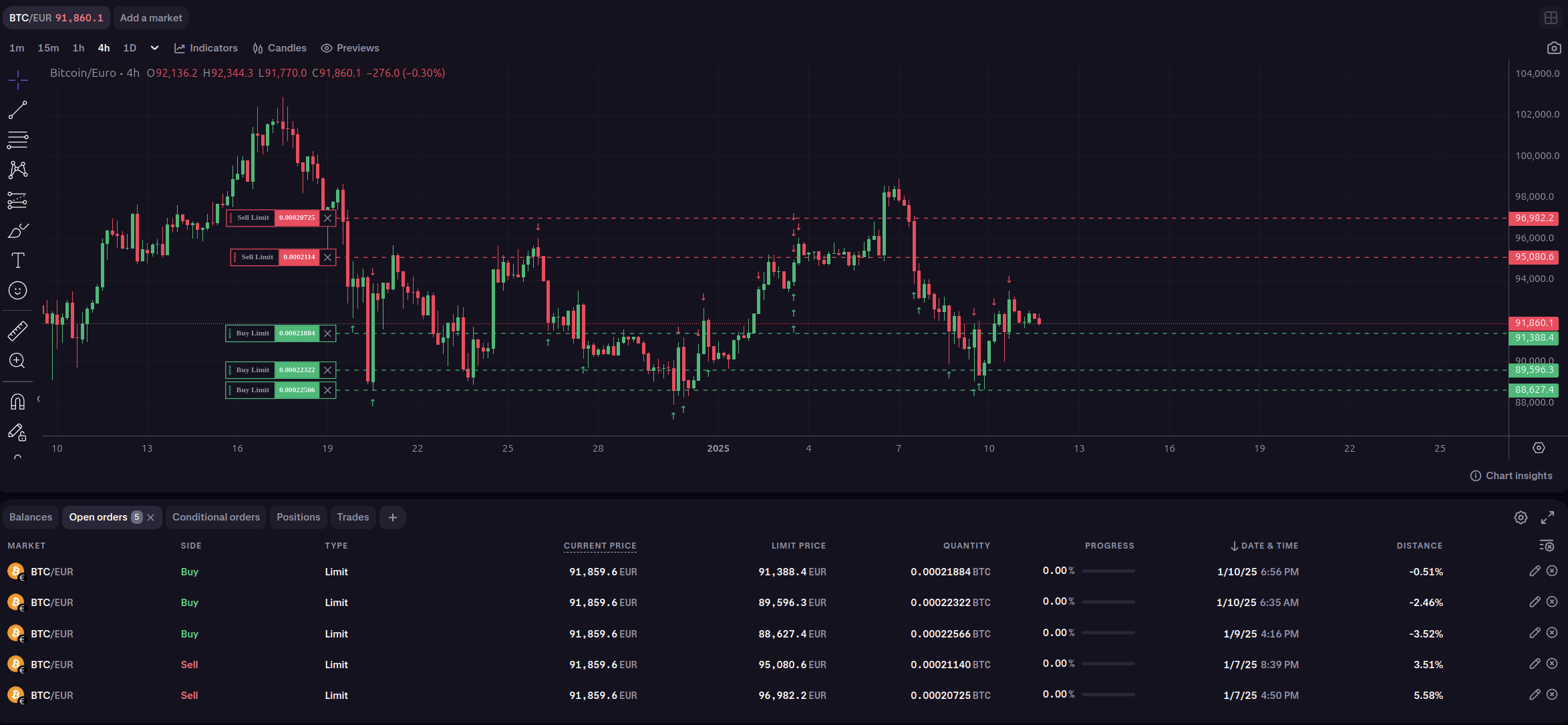
Additionally, the algorithm can be configured to send notifications regarding the current state of the algorithm via Telegram Bots (see Preparation).